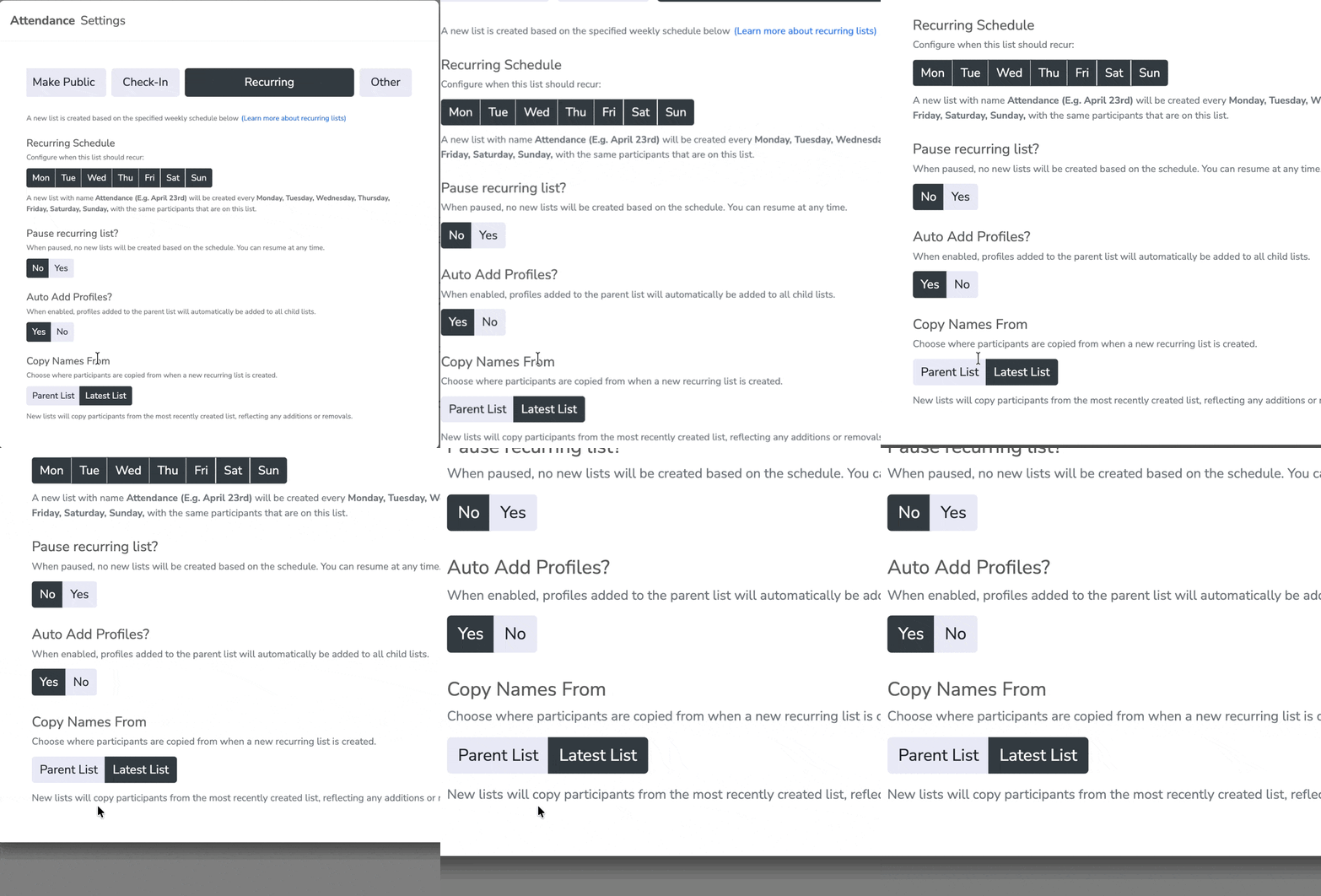
We’ve introduced a new setting for recurring lists that gives you control over how names are carried forward each time a new list is created. With “Copy Names From,” you can choose to always start from your original list or automatically carry forward changes from the most recent list. This means your roster can either stay consistent every time or evolve as people are added or removed. It’s a simple way to keep recurring check-ins accurate without extra manual updates.
Example: If you run a daily employee check-in with 50 people and add 5 new hires on Tuesday, choosing Original list means Wednesday’s list still starts with the original 50. Choosing Most recent list means Wednesday’s list starts with all 55, so updates carry forward automatically.
Example 2 (Daycare Center Schedule):
Your original list is “Daycare Center” with 20 children.
- Daycare Center: 20 (original list)
- March 26 (Tue): +3 new → 23 total
- March 27 (Wed): -2 (absent/removed) → 21 total
- March 28 (Thu): +4 new → 25 total
- March 29 (Fri): no change → 25 total
If “Copy Names From: Original list”
- Every new day (Mar 26–29) starts with 20 children from Daycare Center, regardless of changes made the day before.
If “Copy Names From: Most recent list”
- Mar 26 starts with 20 → becomes 23
- Mar 27 starts with 23 → becomes 21
- Mar 28 starts with 21 → becomes 25
- Mar 29 starts with 25 → stays 25